Quick and easy
sign up process
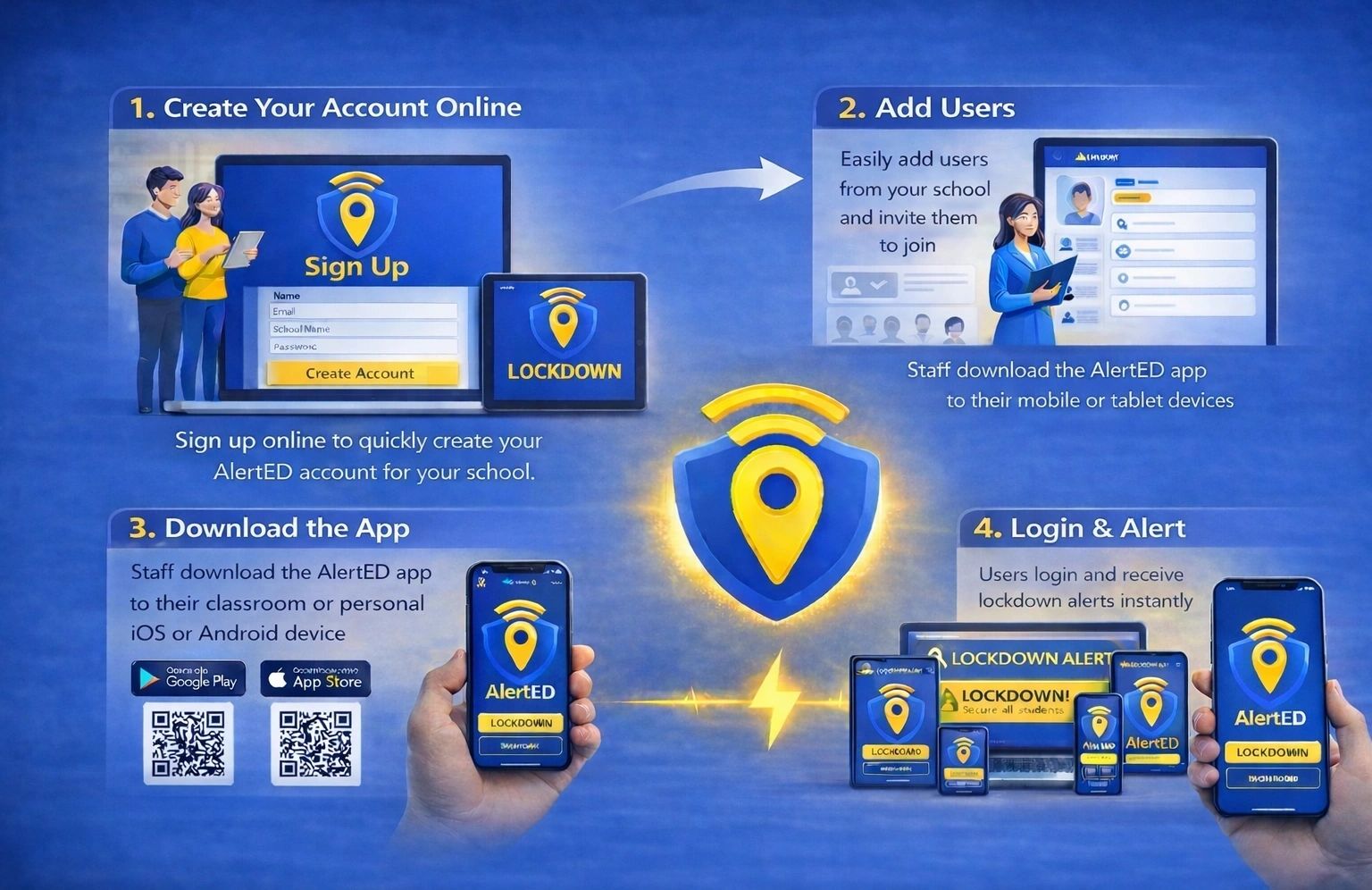
Deploying the AlertED lockdown alert app is quick and simple. Create your account online, add and invite users, download the app to your iOS or Android devices and login.
Once verified, any user can trigger or receive a lockdown alert.
Sign up nowProtect your school with these simple steps
Create your account
Create your account in minutes with your email address and basic information about you and your role.
About your setting
Add information about your school, nursery or child setting to personalise your AlertED environment.
T&Cs
Review and accept the terms and conditions. Enter your billing and invoice information to activate your account.
How to pay
Pay monthly or annually as an individual school, multi-academy trust or a business. We'll email the invoice(s) for payment.
Add users
Add staff members and invite them to download and log in to the app on their mobile or tablet device.
Ready to Go!
When users have logged in for the first time and verified their details, the app is ready to use. No complex alarm installation.
Sign Up
AlertED has officially launched! Fill in the form below and our team will get your school set up.